Notebooks
Data science workflows via natural language
As the lead designer, I partnered with our engineering and product teams to reimagine Colab as an AI-first coding environment. The goal was to move past static AI suggestions and make Gemini a real collaborator, one that understands your entire notebook rather than the cell in front of it.
A micro-interaction of Gemini in Colab
Understanding the problem
Colab’s AI features had been added incrementally over the years, and it showed. Code generation was limited to a single cell, there was no continuity across chat sessions, and users had to context-switch between writing code in the notebook canvas and asking for help in the side panel.
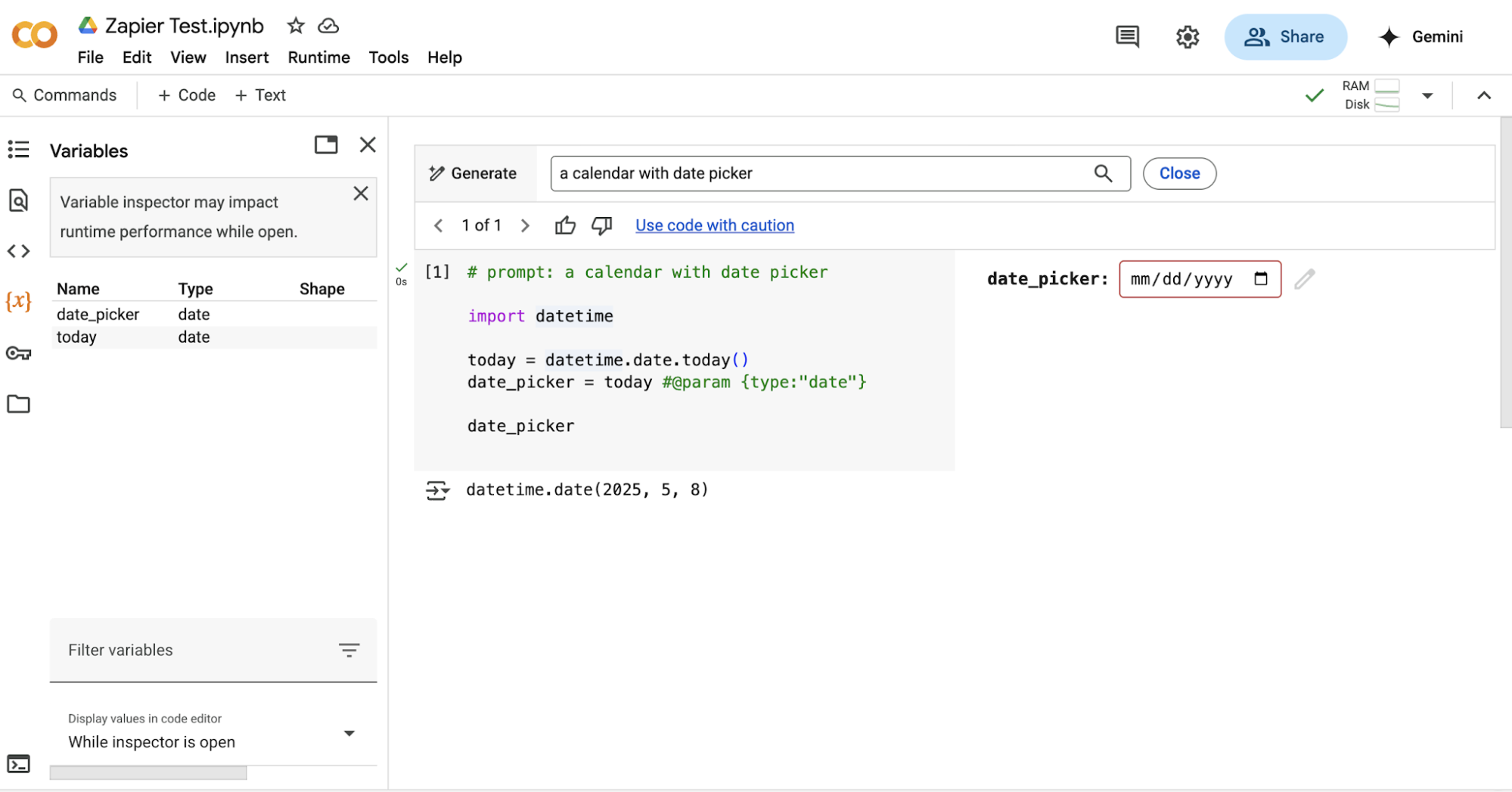
Original version of Colab’s per-cell generative feature
We heard from our users that they wanted to stay in the flow, not copy-paste errors into a chat window or re-explain what they were working on. The opportunity was AI that knew where you were, what you’d run, and where you were trying to go.
Designing the interaction model
Early exploration surfaced a fundamental tension: how do you make AI easy to invoke without adding more noise? Notebooks are already visually dense (cells, outputs, toolbars), and a chat panel risked making them heavier still.
Plan mode: Gemini proposes a multi-step analysis plan to execute cell by cell
Users needed to stay focused on the canvas and disliked switching between panels, so we put the agent directly in it. A small window sits in the canvas for quick prompts; a side panel handles denser work.
Refreshing the interface
While designing AI interfaces, we realized Colab’s UI needed to scale for new agentic workflows. That meant updating the visual language and introducing new patterns to scale the product. Taking cues from other developer tools, we introduced panel arrangements that more closely match our users’ mental model.
Drag the divider to compare the two directly
Google I/O
We shipped Colab’s AI-first redesign at Google I/O in 2025. AI usage jumped across the board: user efficiency rose 4.9x, and satisfaction landed at 82%.
The launch video announcing the agentic experience
Impact
Shipping it gave shape to a genuinely ambiguous problem. The team had diverging ideas about what an AI-first notebook should be, and building it was how we finally agreed. Users liked it, especially having Gemini built in.
I really like that it was all integrated. It made things much faster because I didn’t have to keep switching between tabs, asking [AI] to debug, copying and running it again. It just made the process a lot more seamless.
I would probably not have to struggle so much in the beginning, thinking about which API to use. The AI does a lot of thinking for you.
I really liked that it provided proactive options and was a very friendly collaborator. It saved me time by automatically detecting the error.
Mean task completion time across the four study tasks